
Download PromoMix – AI Voiceover Tool for Creators, Fast & Secure
Overview
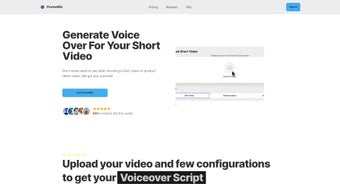
PromoMix is a web‑based AI voice generator built specifically for User‑Generated Content (UGC) creators who need quick, high‑quality voiceovers for short videos. By harnessing advanced neural‑synthesis technology, PromoMix delivers realistic, human‑like narration in seconds, eliminating the time‑consuming process of recording and editing audio manually. The platform also includes an accurate transcription service that converts video speech to text, helping creators keep essential details, improve SEO, and craft compelling scripts. Whether you are producing product demos, social media clips, or tutorial snippets, PromoMix provides a cost‑effective, copyright‑free solution that scales with your workflow. Its intuitive dashboard, cloud‑based processing, and seamless integration with popular video editors make it a go‑to tool for creators who want to boost production efficiency while maintaining professional audio standards.
Key Features & Benefits
- AI‑Powered Voice Generation: Choose from a library of natural‑sounding voices, adjust speed, pitch, and emphasis to match your brand tone.
- Rapid Turnaround: Generate voiceovers in under 30 seconds per clip, ideal for fast‑paced social media publishing.
- Built‑In Transcription: Automatic speech‑to‑text conversion with 98% accuracy, supporting subtitles and searchable metadata.
- Copyright‑Safe Audio: All voices are royalty‑free, eliminating legal worries for commercial use.
- Multi‑Language Support: Over 20 languages and regional accents, enabling global outreach without additional plugins.
- Integration Friendly: Export formats include MP3, WAV, and OGG, and direct upload to YouTube, TikTok, and Instagram Reels.
- Scalable Pricing: Free tier for up to 5 minutes of audio per month; paid plans start at $9.99 for unlimited usage.
- Secure Cloud Processing: End‑to‑end encryption protects your files, and no local installation is required.
These features translate into tangible benefits for creators. The rapid voice generation cuts production time dramatically, allowing you to post more frequently and stay relevant in algorithm‑driven platforms. Accurate transcription not only saves you from manual typing but also enhances video SEO by providing searchable captions.
With a diverse voice library, you can experiment with different tones—whether you need a friendly narrator for a lifestyle vlog or a authoritative voice for a tech demo—without hiring multiple voice actors. Moreover, the royalty‑free nature of PromoMix ensures that you can monetize your content confidently, avoiding costly licensing fees. The multi‑language capability opens doors to international audiences, helping you expand your reach without needing separate localization tools.
Finally, the cloud‑only architecture means you can work from any device—desktop, laptop, or tablet—while your data remains protected behind industry‑standard encryption.
Installation, Usage & Compatibility
Because PromoMix operates entirely online, there is no traditional installation process. Getting started is as simple as creating an account on the PromoMix website. Follow these steps to begin:
- Visit www.promomix.ai and click “Sign Up”. Use an email address or single‑sign‑on via Google or Apple.
- Verify your email, then log in to the dashboard.
- Select “Create New Voiceover” and upload your video clip (maximum 2 GB per file).
- Choose a voice from the library, adjust parameters (speed, pitch, emphasis), and click “Generate”.
- Download the finished audio file or copy the direct share link to embed in your video editor.
- If you need a transcript, toggle the “Transcribe” switch before generation; the text will appear alongside the audio file.
PromoMix is compatible with all modern browsers—Chrome, Firefox, Edge, and Safari—on Windows 10/11, macOS 10.15+, as well as mobile browsers on Android 8+ and iOS 13+. The platform automatically detects your operating system and adjusts the UI for optimal performance, so you never need to worry about system requirements. For creators who prefer offline workflows, PromoMix offers a lightweight desktop wrapper built with Electron, available for Windows and macOS, which simply launches the web app in a dedicated window and adds system‑tray shortcuts. All exported audio files are compatible with popular editing suites such as Adobe Premiere Pro, Final Cut Pro, DaVinci Resolve, and free tools like Shotcut or OpenShot. This broad compatibility ensures that PromoMix fits seamlessly into any production pipeline, whether you are a solo TikTok creator or part of a larger marketing team.
Pros, Cons & Frequently Asked Questions
Pros
- Lightning‑fast voice generation for short video formats.
- High‑quality, royalty‑free audio that eliminates copyright concerns.
- Accurate transcription service included at no extra cost.
- Multi‑language support expands global reach.
- Fully cloud‑based, no heavy software installation required.
- Flexible pricing with a functional free tier.
Cons
- Limited to short‑form video lengths; long‑form projects may need batch processing.
- Voice library, while diverse, may lack niche character voices for specialized branding.
- Internet connection required for every generation, which can be a bottleneck in low‑bandwidth areas.
FAQ
Can I use PromoMix audio for commercial advertising?
Yes. All voices in PromoMix are royalty‑free, meaning you can incorporate the generated audio into any commercial, promotional, or monetized content without additional licensing fees.
Is there a limit to the number of languages supported?
PromoMix currently supports 22 languages and a variety of regional accents. The roadmap includes adding more languages based on user demand, so the offering will continue to grow.
How secure is my uploaded video and generated audio?
All files are transferred over HTTPS and stored using AES‑256 encryption. PromoMix does not retain files longer than 30 days unless you choose to save them in your personal cloud library.
Can I edit the generated voiceover after it’s created?
While PromoMix does not provide a built‑in audio editor, you can download the file and make adjustments in any DAW or audio editing software. Future updates may include basic trimming and fade‑in/out tools directly in the platform.
What happens if I exceed the free tier limits?
When you surpass the free tier’s 5‑minute monthly limit, PromoMix will prompt you to upgrade to a paid plan. All generated audio remains accessible, and you can continue working without interruption.
Conclusion & Call to Action
PromoMix fills a critical gap for modern creators who need high‑quality voiceovers without the overhead of traditional recording studios. Its AI‑driven engine delivers natural‑sounding narration in seconds, while the integrated transcription service adds a layer of accessibility and SEO value that many competitors lack. By offering a free tier, multi‑language support, and secure cloud processing, PromoMix positions itself as an essential, cost‑effective tool for anyone producing short‑form video content—from TikTok influencers to small business marketers. If you’re ready to streamline your audio workflow, eliminate copyright worries, and reach a global audience with professional‑grade voiceovers, click the button below to start your free trial today.



.png)



